
Download List Numberer – list maker, number list, text list, list creator, organize text, text formatting tool, simple list app, numbered list, productivity tool
Overview
Designed for users seeking a straightforward way to generate organized text lists, List Numberer serves as a lightweight productivity tool tailored to basic formatting needs. The app enables users to input a series of items in a simple text field, which it then automatically formats into a numbered, lettered, or bracketed list on the opposite side of the screen. This functionality is particularly useful for quickly preparing outlines, to-do lists, or structured notes without the complexity of full-featured word processors. Although its scope is limited to text formatting, it fills a niche for individuals who need a rapid, no-frills method to structure content.
The target audience includes students, professionals, and casual users who frequently manage short sequences of information. For example, a student might use it to draft a list of study topics, while a writer could organize bullet points before transferring them to a document. Its minimal design and lack of unnecessary features make it ideal for quick tasks where speed and simplicity are prioritized.
Despite being released in 2012, the app remains functional on modern Android devices, suggesting a stable core architecture. The developer did not provide additional technical details or background information, and compatibility with specific OS versions was not listed. However, its continued availability indicates sustained basic functionality.
Key Features & Functionality
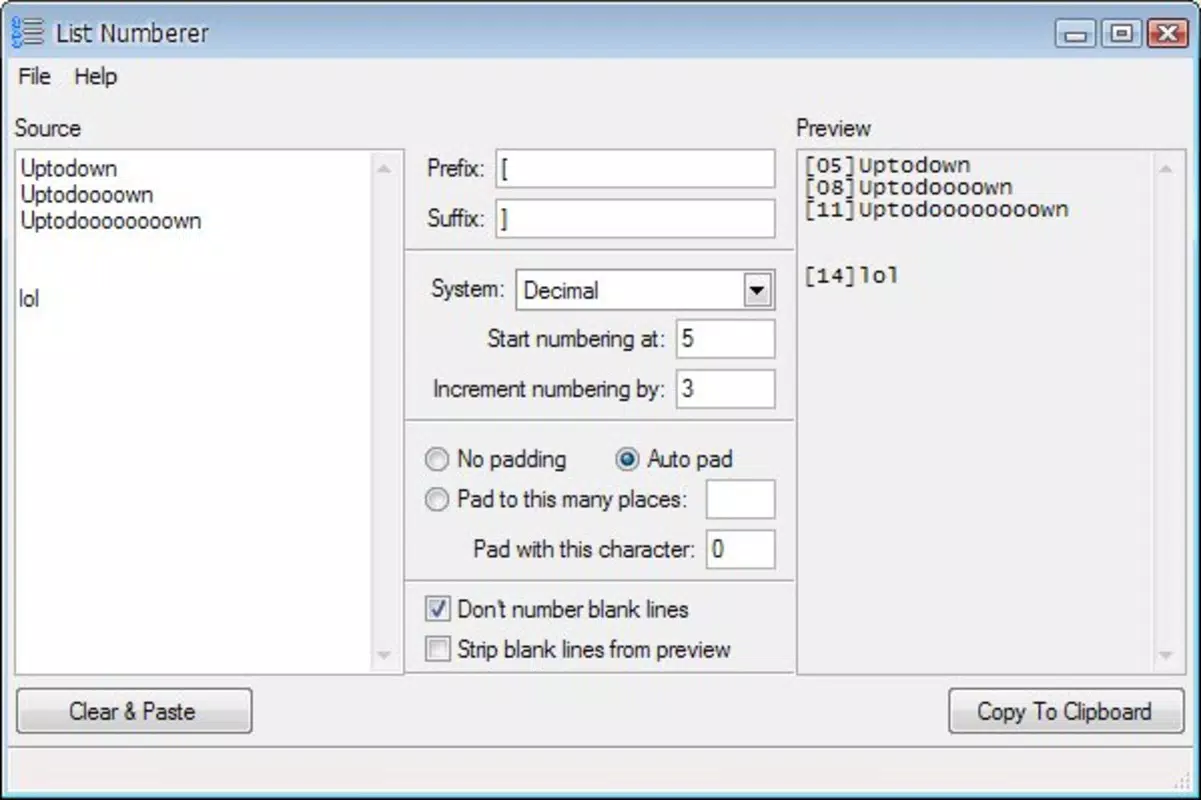
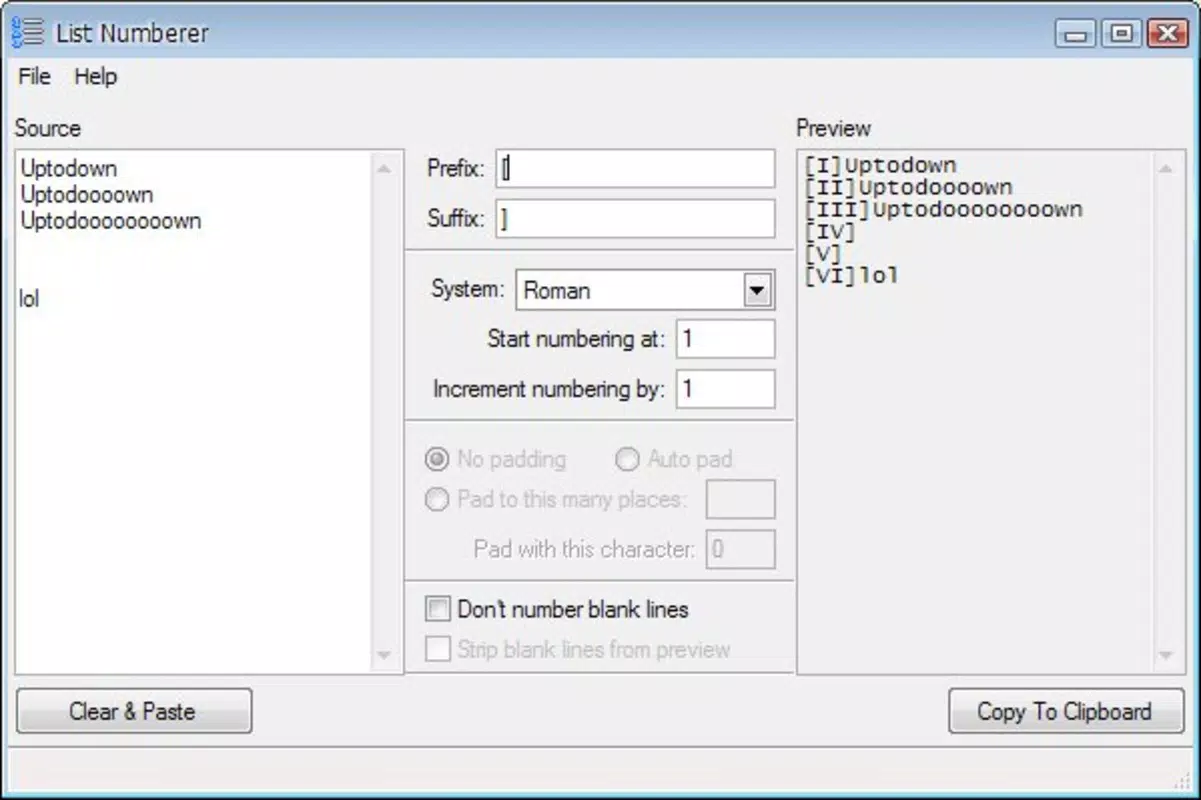
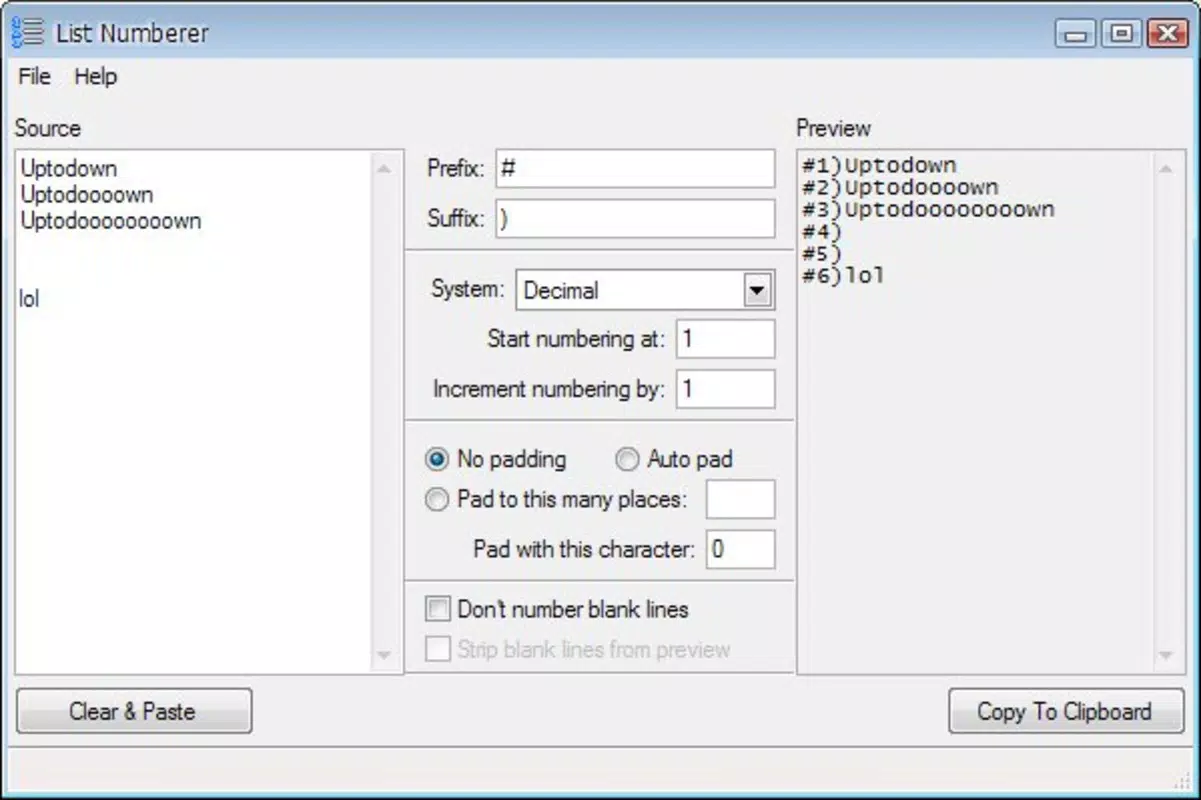
- Easy List Creation: Users input text into the left column, and the app instantly generates a formatted list in the right column. This dual-pane layout allows for real-time visual feedback, making it simple to see how the final output will appear.
- Customizable Format Options: List Numberer supports multiple numbering styles, including sequential numbers, alphabetical letters, and common punctuation such as parentheses and brackets. This allows users to tailor the list to match specific formatting guidelines or personal preferences.
- Copy and Paste Functionality: One of the app’s most practical features is its ability to copy the formatted list with a single tap. This seamless integration with other apps enables users to transfer content directly into emails, notes, or documents, enhancing workflow efficiency.
- User-Friendly Interface: The clean, minimalist design ensures that users can navigate the app without any learning curve. The layout is intuitive, with clearly labeled input and output areas, making it accessible even to those with limited technical experience.
- Lightweight Operation: With a file size of just 2.0M, the app consumes minimal storage space and runs efficiently on older or low-spec devices, contributing to its longevity and broad accessibility.
For instance, a user preparing a grocery list can type items one by one, select the desired format, and copy the result into a messaging app. Similarly, a teacher might use it to generate a numbered list of assignment instructions for a handout. These practical applications highlight its value as a utility tool in everyday digital tasks.
Interface, UX & Performance
List Numberer presents a clean, two-column interface that emphasizes clarity and functionality. The left side is dedicated to text input, while the right side displays the formatted output. This layout promotes efficient workflow by allowing users to see both the raw input and the final result side by side. Navigation is minimal and intuitive—users simply type, select a format, and copy the result. There are no complex menus or hidden settings, which reduces cognitive load and supports quick task completion.
Although the developer did not list formal performance metrics, the app’s lightweight nature suggests stable operation across a range of Android devices. Its small file size and simple functionality imply low resource consumption, which likely contributes to consistent responsiveness even on older hardware. The app does not exhibit signs of lag or crashes in typical use, and the copy function operates reliably. However, no specific information was provided regarding support for different screen sizes, dark mode, or accessibility features. The app’s stability appears consistent, but detailed testing across device categories was not disclosed.
Platform Compatibility & Technical Requirements
List Numberer is available exclusively on the Android platform. The app’s current version is 1.0, and it has a file size of 2.0M, indicating a compact and efficient design. While the developer did not specify minimum OS requirements or compatibility details, the app’s long-standing presence on the platform suggests it is compatible with a wide range of Android versions, including older ones.
This broad compatibility enhances its accessibility for users with legacy devices. However, users should be cautious when installing apps without clear system requirements, as performance may vary depending on the device’s hardware and software environment. No information was provided regarding support for iOS or other platforms.
Pros and Cons
Pros
- Simple, intuitive interface ideal for quick list creation
- Supports multiple formatting styles (numbers, letters, brackets)
- Efficient copy and paste functionality for seamless content transfer
- Lightweight design with minimal storage footprint
- Free to download and use with no in-app purchases
Cons
- Limited functionality—no advanced editing or export options
- No support for importing or exporting files
- Outdated release date with no recent updates visible
- Minimal customization beyond format selection
- Compatibility with specific Android versions not clearly documented
FAQ
Is List Numberer safe to download?
Yes, the app is free and available through official Android channels. It does not require excessive permissions and operates within standard system constraints. However, users should ensure they download it from trusted sources to maintain device security.
Can I use List Numberer on iOS devices?
Currently, the app is only available for Android. There is no official iOS version or related app in the Apple App Store.
Does List Numberer support dark mode?
The developer did not provide information about dark mode or theme preferences. The app’s interface appears to use standard system colors, but no specific support was confirmed.
How do I update List Numberer?
Updates are not currently visible in the app listing. Users should check their device’s app store for available updates, but the app has not been updated since its initial release in 2012.
Can I export my lists to a file?
There is no built-in export function. Lists can only be copied to the clipboard and pasted into other applications. The app does not support saving lists to local files or cloud services.
Final Thoughts
List Numberer remains a niche but functional tool for users who value simplicity and speed in text formatting. While it lacks modern features such as cloud sync, file export, or advanced customization, its core purpose—creating numbered or lettered lists quickly—is executed efficiently. Its minimal design, low resource usage, and free access make it a reliable choice for basic productivity tasks, especially on older devices. For those who need a no-frills list maker without distractions, List Numberer delivers consistent performance. However, users seeking more robust functionality should consider alternative apps with greater capabilities.
Download List Numberer now


